

Overview
Mini program information serves as your mini program's digital introduction, helping users quickly understand its purpose and features. Providing accurate and appealing information is essential to attract users, improve search visibility, and deliver a positive experience within the super app.
How the information appears to users
The information you provide appears in several key areas of the user interface within the super app. The following table shows a breakdown of each information field and its role in the user experience:
Information field | Purpose and user experience |
Entrance URL | Setting the homepage users land on when opening your mini program (for H5+ mini programs only). |
Language | Specifying the language for your mini program's information. By setting this and providing localized content, you ensure your mini program displays in a language tailored to the user's preference, making it accessible to a global audience. |
Mini Program Name & Logo | The primary identity, helping users recognize and differentiate your mini program. They typically appear in the following areas:
|
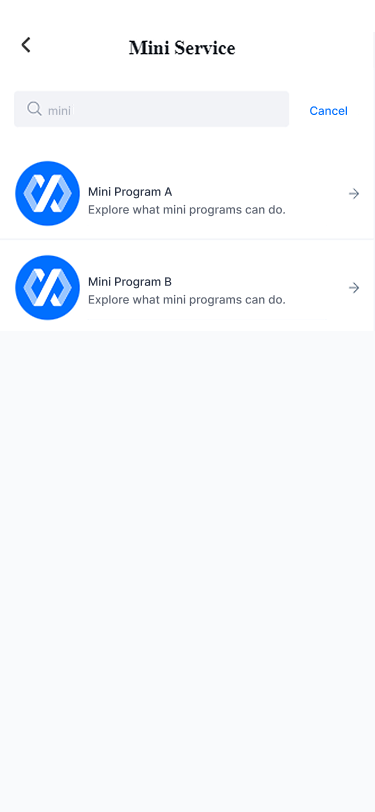
Tagline | A quick, concise summary of your mini program's purpose. It is prominently displayed in search results, helping users decide if your mini program meets their needs before they tap to open it. |
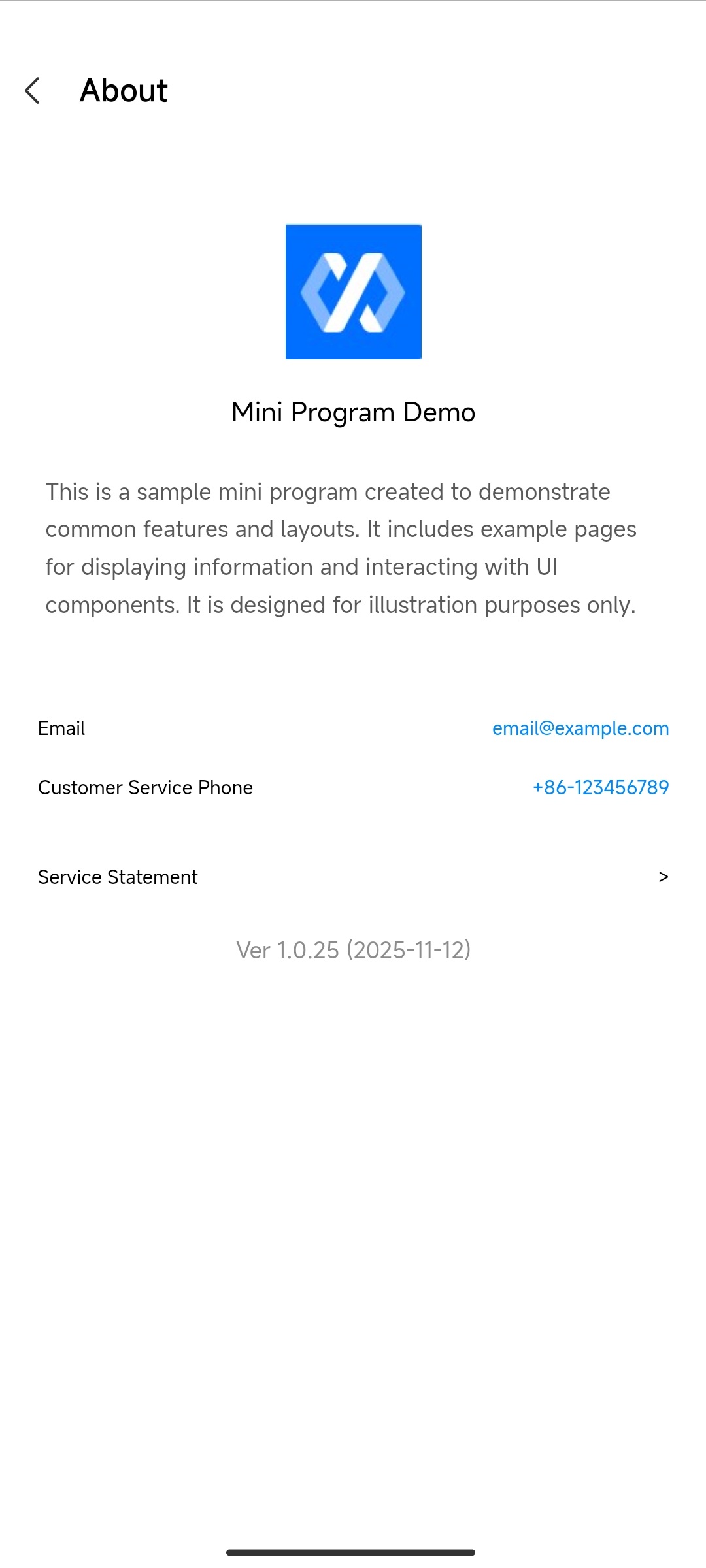
Description & Customer Service Details | Offering users a fuller explanation of your services and direct ways to reach out for assistance. These details are displayed on the mini program's About page. |
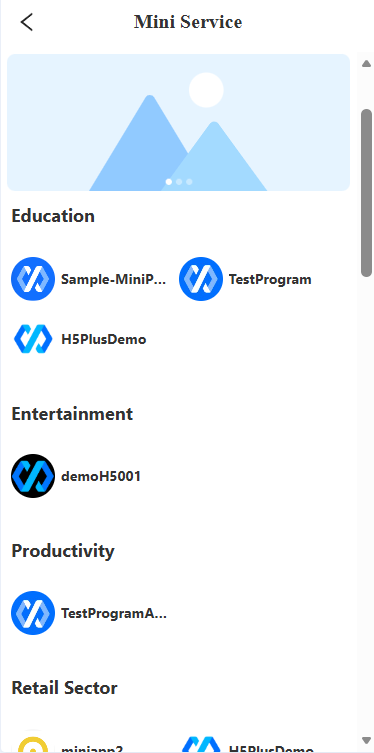
Category | Placing your mini program in relevant industry categories ensures it is sorted into the right groups within the super app, making it discoverable to users browsing by topic. |
Keywords | Terms that enable effective search, making it easier for users to discover your mini program through the super app's search bar. |
See the following example images for a visual reference:
Mini program's About page | Search results | Featured groups |
|
|
|
Note: The visibility of the following fields depends on the super app's configuration:
- Custom Service Contact Number
- Custom Service Contact Email
- Keywords
Manage your information
After the initial setup, you can manage your mini program information through the following related tasks:
- Edit mini program information: Edit mini program information to keep it accurate and up-to-date, or add information you skipped during quick setup to make your mini program ready for release.
- Localize mini program information: Localize your mini program information in multiple languages to make your mini program accessible and user-friendly for people from different cultures and regions.
How information updates work
Any information updates apply to your mini program in a target app based on its current version status as follows:
Current version status | How updates apply |
New Version Created | Apply to the current version |
Under Review | Depending on your choice:
|
Pilot Testing | Apply to future versions only |
Grayscale Release | |
Full Release |